Essential Tools for Managing Your Wedding Guest List in 2026
Managing a wedding guest list in 2026 requires more than a casual spreadsheet. It requires a dedicated system. As couples navigate an increasingly complex landscape of invitations, dietary restrictions, seating arrangements, and multi-day events, the right technological infrastructure has become a strict necessity. A fragmented system inevitably leads to lost data, frustrated guests, and expensive logistical errors.
The stakes are highly tangible. Current data from May 2026 indicates that the national average wedding has 117 guests, a figure that climbs to 129 for Gen Z couples. Organizing the spatial layout and visual design for a group of this size is a complex operational challenge. A slight miscalculation in your guest count directly impacts whether your venue will feel comfortably intimate or disastrously cramped.
This spatial reality is exactly why we built VenuePreview. You can see how our platform works to translate your final headcount into a photorealistic, fully decorated venue rendering. But before you can visualize the space, you must first master the data. Essential tools for managing your wedding guest list in 2026 fall into five main categories. The best setup is usually a simple stack rather than one giant app that attempts to do everything poorly.
Below is a concise, practical guide to what you actually need, the tools that execute it best, and how to make them function as a cohesive ecosystem.
1. Master Guest List Tracker (Your “Source of Truth”)
Every integrated software ecosystem requires a clean database layer. Your master guest list tracker is that foundation. Every subsequent application relies on this source of truth. RSVPs link to it, seating charts reference it, caterers calculate costs from it, and hotel blocks depend on it. This is where names, households, addresses, and plus-ones must live permanently.
Best options in 2026
a) Google Sheets / Excel (Still the workhorse)
- Best for: Couples who are comfortable with spreadsheets or have 120+ guests.
- Use it to track:
- Guest name + household
- Email / address / phone
- Invitation sent (Y/N)
- RSVP status (invited / awaiting / yes / no)
- Meal choice, dietary needs
- Plus-ones, kids, hotel info
- Pros:
- Free, flexible, easy to share with partner/planner/parents.
- Every other tool can usually import/export CSV files seamlessly.
- Cons:
- No automatic reminders or built-in RSVPs.
- Easy to break formulas if multiple people are editing simultaneously.
b) All-in-one wedding platforms (Zola, The Knot, Joy)
- Best for: Couples who hate spreadsheets or want everything in one interface.
- Guest list features usually include:
- Address collection forms
- RSVP tracking tied to your wedding website
- Basic filtering (meal choices, kids, plus-ones)
- Exports to CSV for caterer/planner
- Watch out for:
- Limited custom fields vs. a spreadsheet.
- Less flexible if you have complex events (multiple days, cultural ceremonies).
Setup tip for 2026: Pick one home base and commit to it strictly. If you love structural flexibility, use Google Sheets as the master and sync exports into other tools. If you are app-first, let Zola, The Knot, or Joy serve as the master database, and only export to Sheets for vendors when specifically requested. Never maintain dual databases.
2. Digital Invitations & RSVP Tools
Paper-only RSVPs are slow, expensive, and highly susceptible to human error. Digital RSVPs provide real-time headcounts and structure your data automatically. The shift is undeniable. In fact, 75 percent of couples planning weddings in 2026 are opting for completely paperless solutions. The goal is to minimize friction for your guests while maximizing data accuracy for your planning stack.
Best options in 2026
a) Wedding website platforms (Zola, Joy, The Knot)
- Built-in features:
- Personalized digital invites
- RSVP forms (with custom questions)
- Event-level RSVPs (welcome party, rehearsal, brunch, etc.)
- Great for:
- Standard weddings with 1 to 3 days of events.
- Guests who are highly accustomed to wedding websites.
b) Dedicated RSVP systems (RSVPify, Guestpix, GuestlistOnline, etc.)
- Best for:
- Multi-day or destination weddings with complex RSVP logic.
- Couples who want branching questions (e.g., shuttle times, breakout events).
- Typical features:
- Custom RSVP forms
- Group/household RSVPs
- Automated reminders
- CSV export into your master list
c) Minimalist route: email + form tool (Google Forms / Typeform)
- If you are tech-savvy and demand total control:
- Build a custom form with targeted logic.
- Pipe responses straight into Google Sheets using automation.
- Downside:
- No cohesive wedding website aesthetic.
- You must execute all reminder campaigns manually.
Key 2026 best practice: Establish one primary RSVP channel and funnel all traffic toward it. Send your invitations between 6 and 10 weeks before the wedding date. Data from 2026 reveals that the majority of RSVPs (57.6 percent) are received within the first five weeks. Use paper RSVP cards strictly as a backup for older relatives, and personally enter those manual responses into your master digital tool immediately.
3. Seating Chart & Floor Plan Tools
Once your guest list solidifies, the seating chart becomes the ultimate logistical bottleneck. This is where tensions spike and spatial constraints become obvious. Effective tools simplify this puzzle and reduce the chaos of last-minute cancellations. Spatial planning relies heavily on geometry. Event design professionals recommend maintaining at least 6 feet of space between tables to ensure basic comfort and staff accessibility.
Best options in 2026
a) Dedicated seating tools (SeatYourself, AllSeated, Social Tables, etc.)
- Features to look for:
- Drag-and-drop tables and chairs
- Easy assignment of guests to tables
- Table capacity warnings
- Printable and sharable layouts for your planner/venue
- Guest-facing tools (like QR codes so guests can find their tables)
- Great for:
- 80+ guest weddings
- Complex layouts (tented lawn, multiple rooms)
b) Built-in seating charts in all-in-one platforms
- Some wedding websites now include basic seating charts.
- Good enough if:
- You are operating in a single room with simple round or banquet tables.
- You do not require granular, dimensionally accurate floor plans.
c) Spreadsheet + paper sketch (low-tech backup)
- Use your guest list spreadsheet with a “Table #” column and rough floor sketch.
- Works fine for:
- Smaller weddings (under 60 guests).
- Venues with highly standardized layouts.
Pro tip: Finalize your confirmed guest list before investing significant energy in complex seating layouts. Once locked, decide on table shapes to optimize your budget. Rectangular banquet tables actually cost up to 25 percent less than round tables and allow more people to fit in the same square footage. After your layout is complete, give your venue and planner an exported guest list with table numbers alongside a PDF screenshot of your final layout.
4. Communication & Reminder Tools
Guests change emails, miss physical mail, and frequently forget to RSVP. Centralizing your communication keeps everyone aligned and removes the anxiety of tracking scattered text messages. Modern wedding communication involves distinct channels for different audiences. You need dedicated strategies for guest updates, vendor coordination, and internal planning alignment.
Tools that work well in 2026
a) Built-in messaging (Zola/GuestlistOnline/RSVPify, etc.)
- Send:
- “Save the date” notices
- RSVP deadline reminders
- Final detail updates (shuttles, dress code, weather plan)
- Benefit:
- Executes messaging to everyone in your guest list without exporting addresses.
b) Email lists (Gmail, Outlook, Mailchimp)
- Create groups:
- Bridal party / wedding party
- Immediate family
- All guests
- Good for:
- Longer updates or last-minute changes.
- Segmenting targeted information (like lodging details for out-of-town guests).
c) Shared doc + group chat for your inner circle
- Use:
- Shared Google Doc or Notion page for decisions and notes.
- Group chat (WhatsApp / Messenger / iMessage) for fast coordination with partner, planner, and parents.
- Purpose:
- Keep operational decisions strictly visible to the people actively managing the event.
5. Visualization & Planning Clarity Tools (Often Overlooked)
Most guest list stress is not just about abstract numbers. It is about how those numbers fundamentally alter the physical space. A spreadsheet cannot tell you if 150 guests will feel cramped in your chosen ballroom. A seating app cannot show you if 90 guests will make an outdoor garden feel tragically empty. You need absolute visual clarity on how table layouts and decorative elements will interact with your headcount.
This critical gap in the planning stack is exactly where VenuePreview provides an unfair advantage.
VenuePreview: Visualizing Your Guest List in the Space
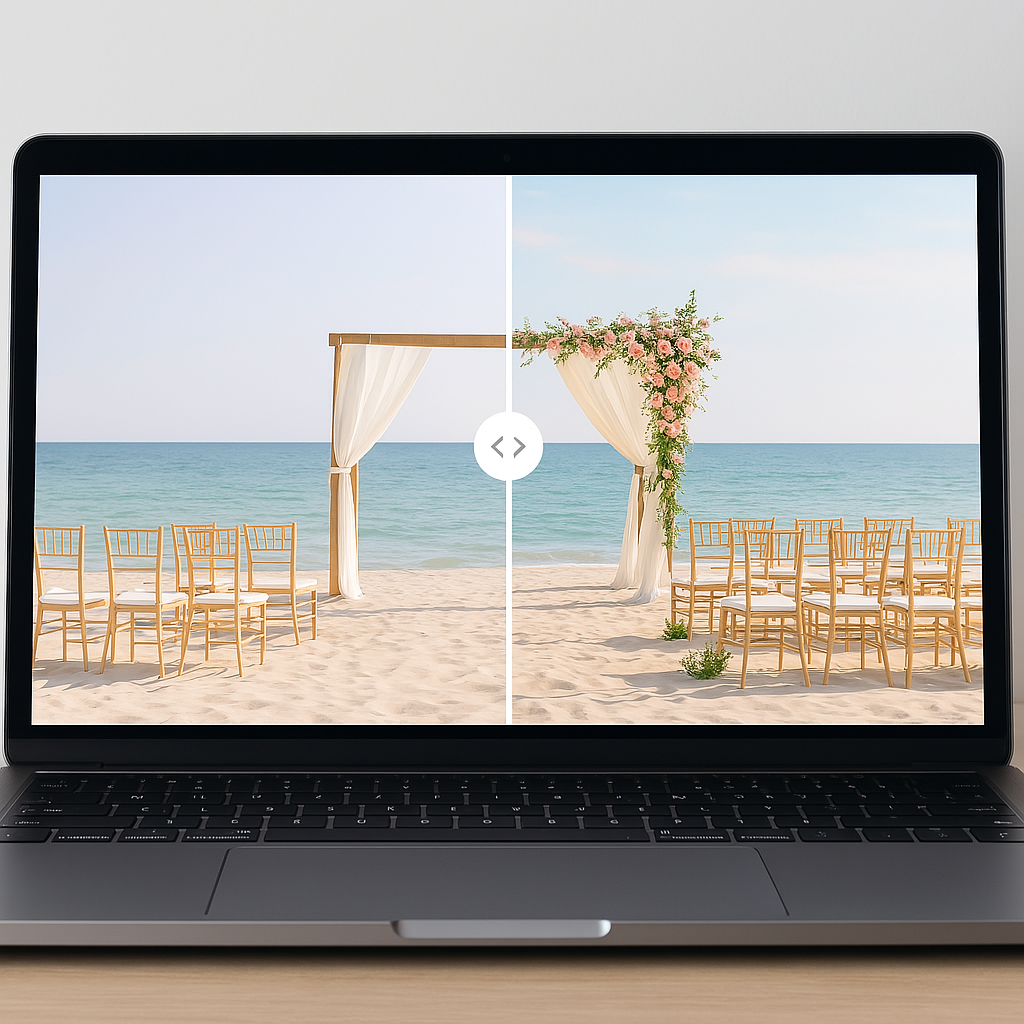
VenuePreview is not a guest list database app. It is a powerful visualization layer built on top of your guest management data. It allows you to turn photos of empty or undecorated venues into fully decorated scenes using advanced generative AI.
The workflow is highly efficient. You simply upload one to three photos of your actual, mostly empty venue. Next, you choose styles and color palettes that match your intended design. In 10 to 25 minutes, our system processes the data and delivers 40 to 200 photorealistic images of your venue fully decorated.
How this helps with guest list decisions:
-
Right-size your guest count: Preview how different table densities physically translate in the room. You can compare a cozy 80-person layout against a packed 150-person layout before sending your B-list invitations. You can objectively test whether long banquet tables or smaller rounds best support your specific guest count.
-
Seating strategy clarity: Show your planner and venue precisely how you want the room to flow. By leveraging AI venue visualization tools, you can spot dangerous bottlenecks around the dance floor, bar, or buffet long before you finalize your seating chart.
-
Vendor alignment: Send your generated images directly to your planner, florist, and rental vendor. This ensures everyone executes against the same visual reference instead of guessing from a vague text description.
-
Budget and guest list tradeoffs: When you can literally preview multiple design variations from an empty room to a dream wedding, financial decisions become obvious. Do we invite 20 more people or upgrade the hanging floral installations? Does the room still look rich and beautiful if we trim the guest list to save catering costs?
Packages (one-time purchase, no subscriptions):
We engineered our pricing to support fast planning cycles without subscription fatigue. Our Basic package provides 40 unique visualizations and 2 style variations with rapid 10 to 25 minute delivery for a simple $19 payment. For couples needing a broader design aperture, the Premium tier generates 100 visualizations across 5 styles for $29, adding priority support and vital vendor sharing features. For ultimate design testing, our Luxury package delivers 200 visualizations and 10 style variations for $49, giving you absolute visual confidence before committing to expensive vendor deposits.
Use VenuePreview alongside your foundational guest list tool to gain tangible visual confidence before finalizing your spatial arrangements.
6. A Simple, Recommended 2026 “Tool Stack”
To keep operations manageable and prevent cognitive overload, most successful couples deploy a curated combination of platforms. The optimal architecture limits redundancy and maximizes data accuracy.
- Master List & Budget:
- Google Sheets remains the undisputed champion for rigorous master guest lists and complex budget math.
- Invites & RSVPs:
- Zola, Joy, or The Knot handle standard requirements perfectly. Use RSVPify if you demand complex, multi-event branching logic.
- Seating Chart:
- SeatYourself or AllSeated become mandatory infrastructure for any celebration exceeding 80 guests.
- Visualization & Decor Planning:
- VenuePreview operates as your design verification layer to visually confirm your expected guest count fits the aesthetic space.
- Communication:
- Deploy built-in email from your wedding website for mass announcements, paired with a dedicated group chat for your core planning team.
7. Questions to Ask Before Choosing Tools
Do not adopt software blindly. Audit your specific logistical requirements by answering these core operational questions together as a couple. This upfront alignment will dictate your entire technological approach.
- How many guests are we realistically inviting when combining both the A-list and B-list?
- Are we hosting multiple distinct events like a welcome party, morning brunch, or specific cultural ceremonies?
- Do we possess a high tolerance for managing spreadsheets, or do we require guided app dashboards?
- Do we need visual clarity on how full the room will physically feel before signing caterer minimums?
- Which tools allow seamless CSV exports to ensure our data is never locked into a single ecosystem?
Answering these questions immediately clarifies your required capabilities and filters out unnecessary software subscriptions.
Engineering Your Perfect Wedding Guest System
Managing a modern wedding is fundamentally an exercise in data logistics and risk mitigation. When you attempt to run a 120-person event on scattered notes and fragmented texts, you guarantee costly errors and high anxiety. By implementing a defined tool stack, you establish a single source of truth for your guest data, streamline your RSVP collection, and optimize your spatial planning.
But data alone is not enough. You must bridge the gap between your spreadsheet headcount and the physical reality of your venue. Visual clarity is the ultimate antidote to planning anxiety. Do not commit thousands of dollars to rentals and florals based entirely on imagination and blind hope.
Take control of your spatial planning today. You can confidently finalize your guest count, optimize your seating arrangements, and choose your visualization package right now to see exactly how your venue will look fully decorated before you spend another dollar.
Related Posts
Ready to Visualize Your Wedding Venue?
See exactly how your venue will look on your wedding day with AI-powered visualizations. Get started in minutes with packages starting at just $19.